
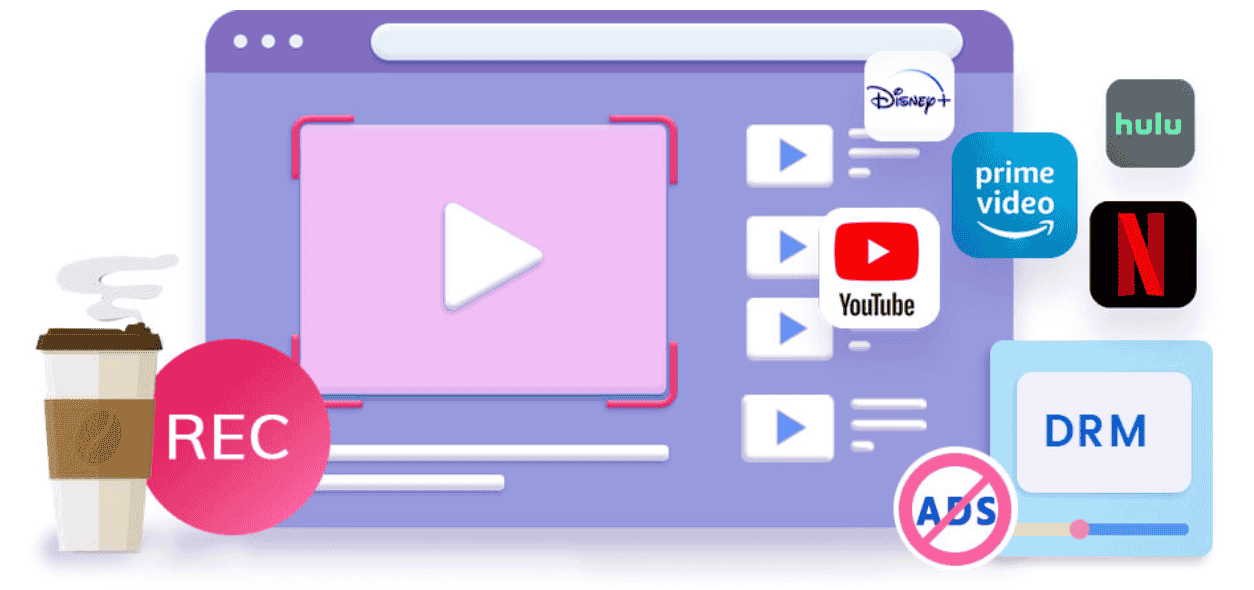
In today’s digital age, streaming services dominate how we consume media. From movies and TV series to educational content, much of what we watch online is protected by Digital Rights Management (DRM). DRM is designed to prevent unauthorized copying or distribution of copyrighted material, which is great for content creators but frustrating for viewers who want offline access. This is where CleverGet Recorder comes into play—a specialized tool designed to capture DRM-protected streaming videos that standard downloaders often cannot. In this article, we’ll explore what CleverGet Recorder is, why it stands out, how to use it effectively, and its key advantages.
I. What Is CleverGet Recorder?
CleverGet Recorder is not your typical screen recorder. While conventional screen capture tools such as Leawo Free Screen Recorder or OBS Studio can record your desktop, they often struggle or fail entirely when faced with DRM-protected content. CleverGet Recorder is purpose-built for capturing video streams from platforms that implement strict digital rights management.
Unlike standard screen recorders, CleverGet Recorder does more than just “record what you see on the screen.” It interacts directly with streaming protocols to bypass common obstacles like black screens, blocked recordings, or low-quality output that typical tools produce.
It’s important to note that CleverGet Recorder is not meant for casual desktop recording. If your goal is to record tutorials, online meetings, gameplay, or other general content, tools like Leawo Free Screen Recorder are more suitable. CleverGet Recorder shines when other downloaders and screen recorders fail due to DRM restrictions. For example, if you want to save a full episode from a streaming service that blocks traditional downloaders, CleverGet Recorder can often handle it with ease.
Essentially, CleverGet Recorder is for users who need a reliable, high-quality solution for DRM-protected media—not just any screen capture tool.
II. Why “No Limits”? What CleverGet Recorder Can Record That Others Can’t
To understand why CleverGet Recorder is necessary, it’s important to grasp what DRM is and why it poses a challenge. DRM (Digital Rights Management) is a technology employed by streaming platforms to control how digital content is used. Its purpose is to prevent piracy and unauthorized sharing, but it also means that conventional video downloaders or screen recorders often encounter:
- Black screens instead of the video feed
- Recording blocks where audio or video does not capture
- Incomplete downloads for long-form content like movies or series
CleverGet Recorder addresses all these issues. It allows users to:
- Record DRM-restricted streams from major platforms – CleverGet Recorder works with a variety of streaming services that other downloaders fail to access. From subscription-based platforms to sites that actively block downloads, CleverGet Recorder can handle them all.
- Bypass black screens and recording blocks – Many screen recorders fail to capture DRM-protected content because the video output is blocked at the system level. CleverGet Recorder bypasses these restrictions, ensuring your recording isn’t interrupted.
- Capture long-form content like full movies or episodes – While some recorders limit the length of recording sessions or produce fragmented videos, CleverGet Recorder allows for continuous, uninterrupted capture of entire films or series episodes.
- Provide stable and consistent recordings – Unlike browser-based tools that may crash or fail when recording long streams, CleverGet Recorder is designed for reliability, giving users consistent results every time.
In short, CleverGet Recorder removes the barriers that make DRM-protected content nearly impossible to save using conventional methods, making it a must-have for anyone who frequently needs offline access to streaming videos.
How to Record Videos From Any Website With CleverGet Recorder
Using CleverGet Recorder is surprisingly simple despite its powerful capabilities. Here’s a step-by-step guide to recording videos from virtually any website:
Step 1: Download and Install CleverGet Recorder
Visit the official CleverGet Recorder website and download the installer compatible with your operating system. The installation process is straightforward—follow the on-screen instructions to complete it.
Step 2: Launch the Built-in Browser and Open the Target Website
One of CleverGet Recorder’s unique features is its integrated browser. By opening the streaming platform directly within the software, you bypass many of the common blocks that prevent recording. Navigate to the video you want to capture just as you would in a regular browser.
Step 3: Play the Video You Want to Record
Start the playback of your target video. CleverGet Recorder automatically detects the media stream. Unlike generic screen recorders, it interacts with the stream at a deeper level to ensure both video and audio are captured accurately.
Step 4: Customize Recording Settings
Before starting the recording, you can adjust settings such as:
- Video quality (up to full HD or 4K depending on source)
- Audio source (system audio, microphone, or both)
- Output format (MP4, MKV, and more)
Customizing these settings ensures that your recording meets your exact preferences and device compatibility needs.
Step 5: Start Recording and Save the Video Locally
Once your settings are configured, hit the “Record” button. CleverGet Recorder captures the video seamlessly, and you can save it directly to your local storage. After the recording is complete, you can play it offline anytime without worrying about DRM restrictions or platform availability.
IV. Key Advantages and Benefits
CleverGet Recorder offers several advantages that make it an invaluable tool for certain users:
Works With DRM-Protected Platforms Where Downloaders Fail
Unlike traditional downloaders or free screen recorders, CleverGet Recorder can access and save content from platforms with heavy DRM enforcement. This makes it particularly useful for premium streaming services, educational platforms, and subscription-based content.
High-Quality Video and Audio Output
CleverGet Recorder ensures that recordings maintain their original resolution and audio fidelity. Whether you’re capturing a high-definition movie or a series episode, the output is clear, stable, and faithful to the original.
Simple Workflow With Minimal Setup
Despite its advanced capabilities, CleverGet Recorder is user-friendly. The integrated browser, automatic stream detection, and easy-to-configure settings make it accessible even for users with minimal technical knowledge. Compared to complicated downloaders or multi-step solutions, CleverGet Recorder simplifies the process.
Suitable for Users Who Need Reliable Offline Access
For anyone who frequently travels, faces intermittent internet connections, or prefers offline viewing, CleverGet Recorder is invaluable. It provides a reliable solution to capture DRM-protected content without interruptions or technical glitches.
CleverGet Recorder Review: Safety and User Confidence
Many users ask, “is CleverGet safe?” Based on user experience and official documentation, CleverGet Recorder is considered safe to use. The software does not inject malware, spyware, or ads into your system, and it operates locally on your computer without compromising your data.
If you’re still curious about its reputation, cleverget reviews from trusted forums and user testimonials generally highlight its reliability, ease of use, and effectiveness in bypassing DRM limitations. Positive CleverGet Recorder review comments often focus on its stable performance and high-quality recordings.
CleverGet vs General Screen Recorders
While CleverGet Recorder excels at capturing DRM-protected streams, it is not a general-purpose screen recorder. Tools like Leawo Free Screen Recorder remain better suited for tasks like recording:
- Online meetings
- Gaming sessions
- Tutorials or lectures
- Desktop activities
If your needs are casual or everyday screen capture, a free tool may suffice. However, when DRM is involved, CleverGet Recorder becomes the indispensable choice.
Conclusion
CleverGet Recorder is a specialized, powerful tool for anyone who needs to record DRM-protected streaming videos. Unlike general-purpose screen recorders or standard downloaders, it can bypass black screens, capture long-form content, and maintain high-quality video and audio output. While it may not replace free screen recorders for casual use, it excels in scenarios where DRM protection blocks conventional tools.
For users who value reliable offline access to movies, series, or educational content, CleverGet Recorder offers a simple, consistent, and effective solution. By choosing the right tool for your needs—be it CleverGet Recorder for DRM-protected content or Leawo Free Screen Recorder for general tasks—you ensure that your video recording experience is seamless, high-quality, and stress-free.