
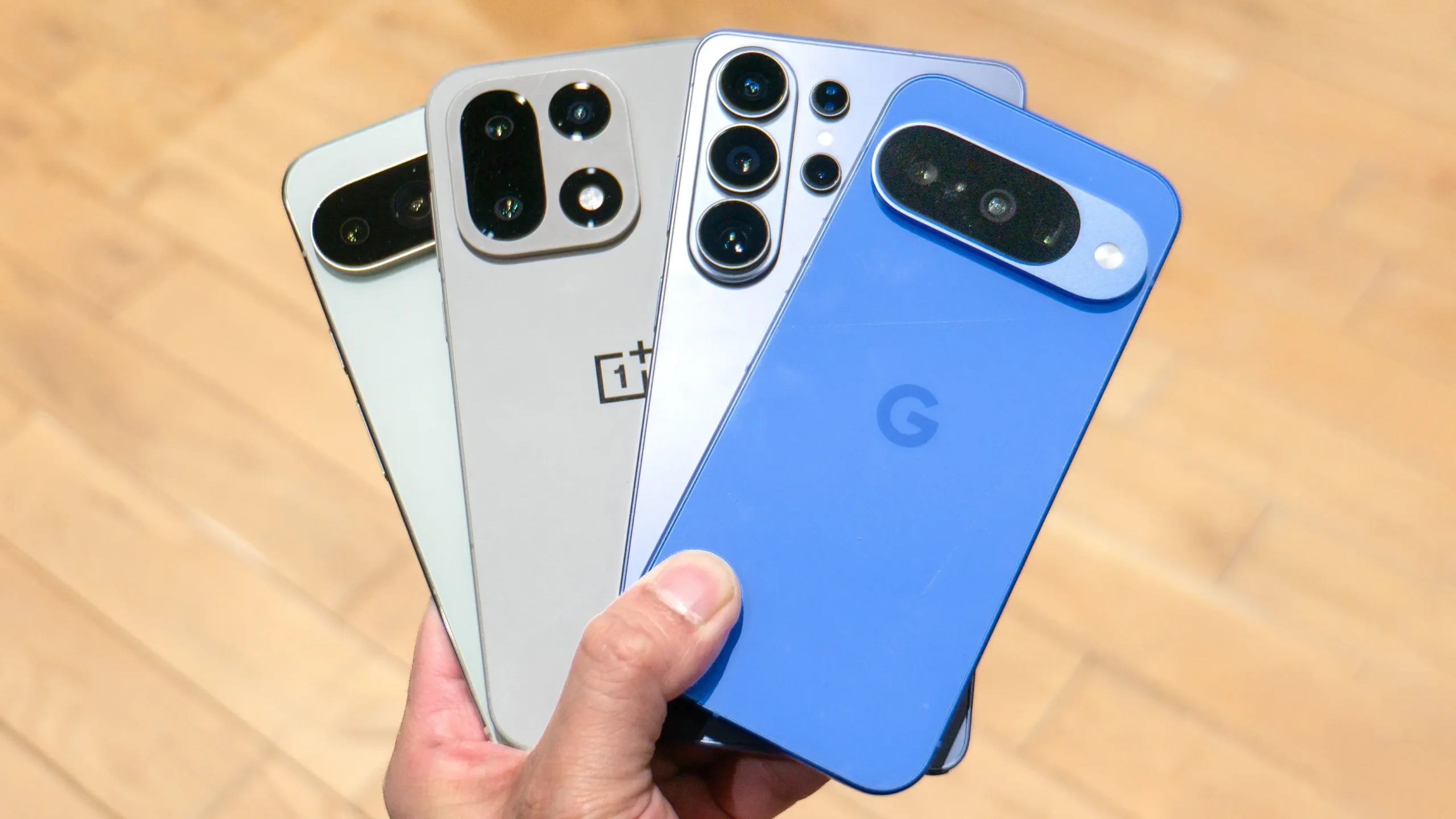
Comparing smartphones can look simple until several models appear to offer almost the same features. Two phones may have similar screen sizes, camera resolutions and storage capacities while providing very different experiences in everyday use.
A useful comparison therefore needs to go beyond the headline specifications. Performance, software support, network compatibility, battery behavior, storage options and the actual selling price can all affect whether a phone remains practical for several years.
Using a consistent checklist makes it easier to compare models without being distracted by one impressive number or a promotional feature.
Start With How You Actually Use a Phone
Before comparing specifications, identify what matters most in daily use. Someone who mainly uses messaging, navigation and banking applications has different requirements from a person who records video, plays demanding games or frequently edits photos.
The best specification sheet is not necessarily the one with the largest numbers. It is the one that fits the intended use without forcing the buyer to pay for features that will rarely be used.
Compare the Processor, Not Just the Model Year
The processor influences application speed, gaming performance, camera processing, power efficiency and many background tasks.
Phones released during the same year can use processors from completely different performance classes. Comparing the actual chipset can therefore provide more useful information than comparing release dates alone.
RAM Matters for Multitasking
Memory affects how comfortably a phone can keep several applications available in the background.
More RAM can be useful for demanding applications and multitasking, but memory management also depends on the operating system and manufacturer software. RAM capacity should therefore be considered together with real-world performance rather than in isolation.
Check Storage Capacity and Storage Type
Photos, videos, applications and offline media can quickly consume internal storage.
When two devices have similar prices, compare both capacity and the type of storage technology used. Faster storage can improve application loading, file transfers and other everyday operations.
It is also worth checking whether expandable storage is supported if a microSD card is important to you.
Display Specifications Need Context
Resolution is only one part of screen quality. Panel technology, brightness, refresh rate, touch response and color reproduction also influence the experience.
A high refresh rate may make scrolling and animations feel smoother, while strong outdoor brightness can be more valuable for users who frequently use navigation or photography outside.
Do Not Compare Cameras by Megapixels Alone
A larger megapixel number does not automatically produce better photographs.
Sensor size, lens quality, stabilization, image processing and low-light performance can matter just as much. Video features should also be compared separately if recording is important.
Check Which Cameras Are Actually Useful
Some phones advertise several rear cameras, but not every additional sensor adds the same practical value.
A good main camera combined with a useful ultrawide or telephoto camera may be more valuable than a longer list of low-resolution auxiliary sensors.
Battery Capacity Is Only Part of Battery Life
Battery capacity provides a useful starting point, but actual endurance depends on the processor, display, software optimization, network conditions and usage patterns.
Two phones with similar battery capacities can therefore produce noticeably different results during a normal day.
Compare Charging Features Carefully
Charging speed can be important for users who frequently need a quick top-up.
Check the supported charging standard as well as whether the required charger is included in the package or must be purchased separately.
Software Support Can Change the Long-Term Value
A smartphone is not only hardware. The length and quality of software support can significantly affect how long the device remains useful.
Before buying, check the manufacturer’s stated policy for operating system upgrades and security updates for the specific model or product family.
Check the Phone’s Current Software Situation
A device may have launched with an older operating system and already used part of its promised support period before you buy it.
This is particularly relevant when purchasing older models at discounted prices.
Security Updates Matter Too
Operating system version upgrades tend to receive more attention, but security maintenance is also important for a device used for email, payments, authentication and personal communication.
A lower-priced phone with a clear update commitment may provide better long-term value than a slightly more powerful model with uncertain support.
Keep Specification and Reference Sources Organized
Comparing several smartphones often means moving between manufacturer pages, carrier information, specification databases, reviews, retailers and support documentation.
When many online references are involved, keeping frequently used destinations organized can make repeated research easier. A general resource such as 링크사이트 can serve as a starting point for navigating different web resources, while technical specifications, warranty conditions, firmware support and network compatibility should ultimately be confirmed through the manufacturer or mobile operator.
Network Bands Are Easy to Overlook
A phone can have excellent specifications and still be a poor choice if the version being purchased does not support the appropriate mobile network frequencies.
This issue becomes especially important with imported smartphones or models produced in different regional variants.
Check the Exact Model Number
A smartphone name alone may not identify its complete network configuration.
Manufacturers sometimes sell several regional versions under the same commercial name. The exact model number can help determine which frequency bands and features apply to the unit being considered.
Compare LTE and 5G Support With Your Carrier
A specification page may show a long list of supported LTE and 5G bands, but the important question is whether those bands match the networks used where the phone will operate.
Carrier documentation is particularly useful when checking imported devices.
5G Support Does Not Automatically Mean Full Compatibility
Seeing “5G” on a specification sheet does not guarantee support for every 5G network configuration.
Different regions and operators may use different frequencies and deployment methods, so compatibility should be checked rather than assumed.
Consider SIM and eSIM Requirements
Some users need two physical SIM cards, while others prefer eSIM support for travel or multiple lines.
The available configuration may vary by region, so check the specific version being sold rather than relying only on a global product description.
Connectivity Goes Beyond Mobile Networks
Wi-Fi generation, Bluetooth support, NFC, USB capabilities and positioning systems can also influence daily use.
Someone using wireless accessories, contactless payments or external storage may value these features more than a small improvement in benchmark performance.
Check Water and Dust Resistance Properly
If protection against water or dust is important, look for a clearly stated rating rather than relying on general marketing phrases such as splash resistant.
Users should also understand that resistance does not mean a device is immune to all water damage under every condition.
Consider the Size and Weight
Large displays are useful for video, games and reading, but they also make devices larger and sometimes heavier.
Dimensions and weight are worth checking, especially for people who prefer one-handed use or keep their phone in a pocket for long periods.
Biometric Options Affect Everyday Convenience
Fingerprint sensors and face authentication can differ significantly in implementation.
Consider where the fingerprint reader is located and whether the available authentication methods fit your normal usage.
Look at Repairability and Service Availability
A smartphone may be attractive at purchase but inconvenient to own if replacement parts or authorized service are difficult to find.
Before buying an imported or less common model, consider how easily the screen, battery and other components could be serviced locally.
Compare Warranty Terms
Retailers may sell devices with different warranty conditions even when the phones themselves appear identical.
Check who provides the warranty, how long it lasts and whether service is available in your region.
Price Should Be Compared Using the Same Configuration
A common mistake is comparing the price of one phone with 128 GB of storage against another with 256 GB.
Always compare similar memory and storage configurations where possible.
Look Beyond the Advertised Price
The final cost may include a charger, case, screen protector, additional storage, insurance or other accessories.
A phone that appears cheaper initially may become more expensive after the necessary extras are added.
Discounts Need Context
A large percentage discount can look attractive, but the original reference price may not reflect what the phone commonly sells for.
Comparing current prices from several established sellers gives a better picture of the real market value.
Older Flagship or New Mid-Range Phone?
An older premium model may provide stronger cameras, materials and performance than a similarly priced new mid-range device.
The newer phone, however, may offer a longer remaining software-support period, a fresh battery and easier warranty coverage.
The better choice depends on which of these factors matters more to the buyer.
Do Not Let Benchmarks Make the Entire Decision
Performance benchmarks are useful for comparing processors, but they do not measure every aspect of daily use.
Camera quality, battery endurance, modem behavior, software stability, ergonomics and long-term support can matter just as much.
A Practical Smartphone Comparison Checklist
- identify your main uses before comparing models
- check the exact processor and memory configuration
- compare storage capacity and expansion options
- evaluate display quality beyond resolution alone
- compare camera systems rather than megapixels only
- review battery capacity and charging requirements
- check operating system and security update policies
- confirm the exact regional model number
- verify LTE and 5G bands with your mobile operator
- check SIM, eSIM, Wi-Fi, Bluetooth and NFC support
- compare warranty and local service availability
- compare prices using equivalent storage configurations
A Better Comparison Leads to a Better Purchase
Smartphones contain so many features that it is easy to focus on the most visible specifications and overlook details that affect long-term ownership.
A structured comparison helps separate important differences from marketing numbers. Performance, software support, network compatibility and total purchase cost should all be considered together.
The goal is not to find the phone with the longest specification sheet, but the device whose hardware, connectivity, support period and price best match the way it will actually be used.