

Introduction
Choosing the best phone for seniors is about more than just buying a smartphone. Older adults need a device that is easy to use, comfortable to hold, and reliable for everyday communication. Whether it’s making calls, sending messages, video chatting with family, or taking photos, the right phone can make life simpler and more enjoyable.
Today’s phones offer larger screens, louder speakers, better accessibility features, and emergency safety tools that are especially useful for seniors. This guide explains what to look for and helps you find the right device based on your needs and budget.
Why Choosing the Best Phone for Seniors Matters
A phone is often the easiest way for seniors to stay connected with loved ones, healthcare providers, and emergency services. The right device can improve confidence and independence while reducing frustration.
Some key benefits include:
- Easy communication with family and friends
- Better access to emergency assistance
- Simple navigation with larger icons
- Video calling for staying connected
- Health and safety features
- Internet access for news and entertainment
Features to Look for in the Best Phone for Seniors
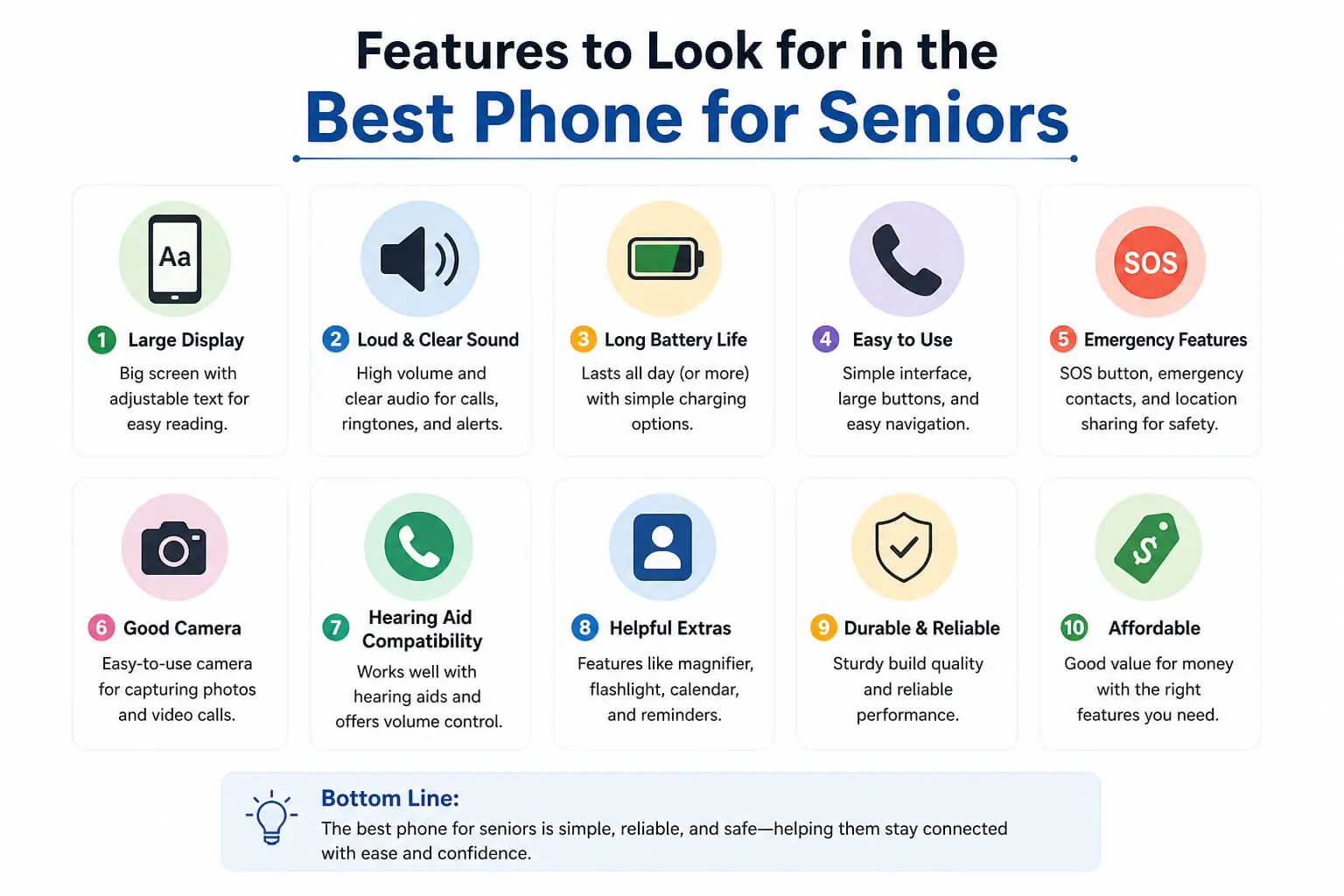
Not every smartphone is suitable for older users. Here are the features that make a real difference.
Large and Bright Display
A bigger screen makes reading messages, browsing websites, and viewing photos much easier. Bright displays also improve visibility outdoors.
Simple User Interface
Phones with clean layouts, larger app icons, and easy navigation help seniors use the device comfortably without confusion.
Loud Speakers and Clear Audio
Good sound quality ensures calls remain clear even in noisy environments or for users with mild hearing difficulties.
Long Battery Life
A battery that lasts all day means less frequent charging and greater peace of mind.
Emergency Features
Many modern smartphones include:
- Emergency SOS
- Medical ID
- Emergency contacts
- Location sharing
- Fall detection (on supported devices)
These features provide added safety for older adults.
Best Types of Phones for Seniors
Different seniors have different needs. Here are the most common options.
Simple Feature Phones
Feature phones are ideal for seniors who mainly need:
- Calling
- Text messaging
- Long battery life
- Physical keypad
- Easy operation
They are affordable and require very little maintenance.
Beginner-Friendly Smartphones
Smartphones offer:
- Video calling
- Internet browsing
- Social media
- Maps
- Banking apps
- Health applications
Many modern smartphones include accessibility settings that simplify the experience.
Premium Smartphones
For seniors who enjoy photography, travel, or technology, premium smartphones offer:
- Excellent cameras
- Faster performance
- High-quality displays
- Better security
- Longer software support
Accessibility Features That Help Seniors
Modern phones include many built-in accessibility tools.
Larger Text and Icons
Increase font sizes for easier reading without installing extra apps.
Voice Assistants
Voice assistants can:
- Make calls
- Send messages
- Set reminders
- Answer questions
- Open apps
This reduces the need to navigate menus manually.
Hearing Support
Many smartphones support hearing aids and offer sound amplification for clearer conversations.
Voice Typing
Instead of typing long messages, users can simply speak and let the phone convert speech into text.
Battery Life Is More Important Than Ever
Battery life is one of the most important factors for seniors.
A reliable phone should comfortably last an entire day of:
- Phone calls
- Messaging
- Internet browsing
- Video chatting
- Camera use
Fast charging is also helpful, reducing the time spent waiting for the battery to recharge.
Camera Quality Can Be Helpful
Many seniors enjoy capturing family moments and sharing memories.
Look for phones with:
- Simple camera interface
- Good daylight photography
- Image stabilization
- Clear video recording
- Easy photo sharing
A quality camera also makes video calls appear sharper.
Safety Features Worth Considering
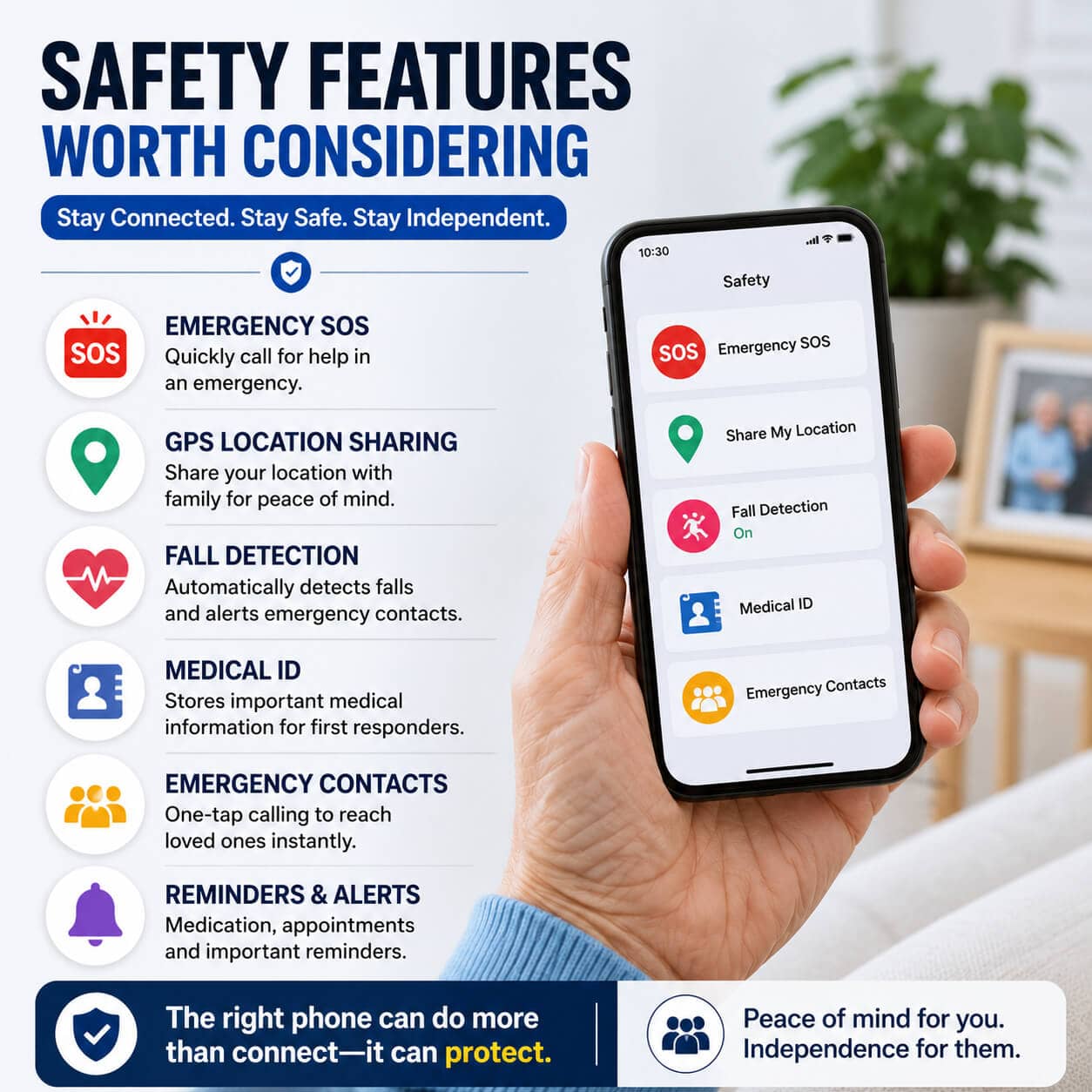
Technology now offers valuable safety tools that can provide reassurance.
Useful features include:
- Emergency SOS
- GPS location sharing
- Medical information access
- Family location services
- Crash detection on supported devices
- Fall detection on compatible devices
These features can be especially valuable for seniors living independently.
Smartphone vs Feature Phone
| Smartphone | Feature Phone |
|---|---|
| Internet access | Basic calling |
| Video calling | Physical keypad |
| Apps and navigation | Very easy to use |
| Better camera | Longer battery life |
| Accessibility options | Lower cost |
| Larger touch display | Minimal maintenance |
The best choice depends on the user’s comfort with technology.
Tips for Choosing the Best Phone for Seniors
Before buying a phone, consider these factors:
- Screen size
- Ease of use
- Battery life
- Speaker quality
- Camera performance
- Software updates
- Accessibility settings
- Storage capacity
- Budget
- Customer support
Trying the phone in person before purchasing can also be very helpful.
Common Mistakes to Avoid
Many buyers focus only on price.
Instead, avoid:
- Buying overly complicated phones
- Ignoring accessibility features
- Choosing poor battery life
- Selecting small displays
- Forgetting software support
- Purchasing without checking sound quality
A slightly more expensive phone may provide a much better experience over several years.
Who Should Buy a Smartphone?
A smartphone is ideal for seniors who:
- Enjoy learning new technology
- Want video calls
- Take photos regularly
- Use messaging apps
- Browse the internet
- Manage banking online
- Travel frequently
Modern smartphones can greatly improve convenience once users become familiar with them.
Who Should Choose a Feature Phone?
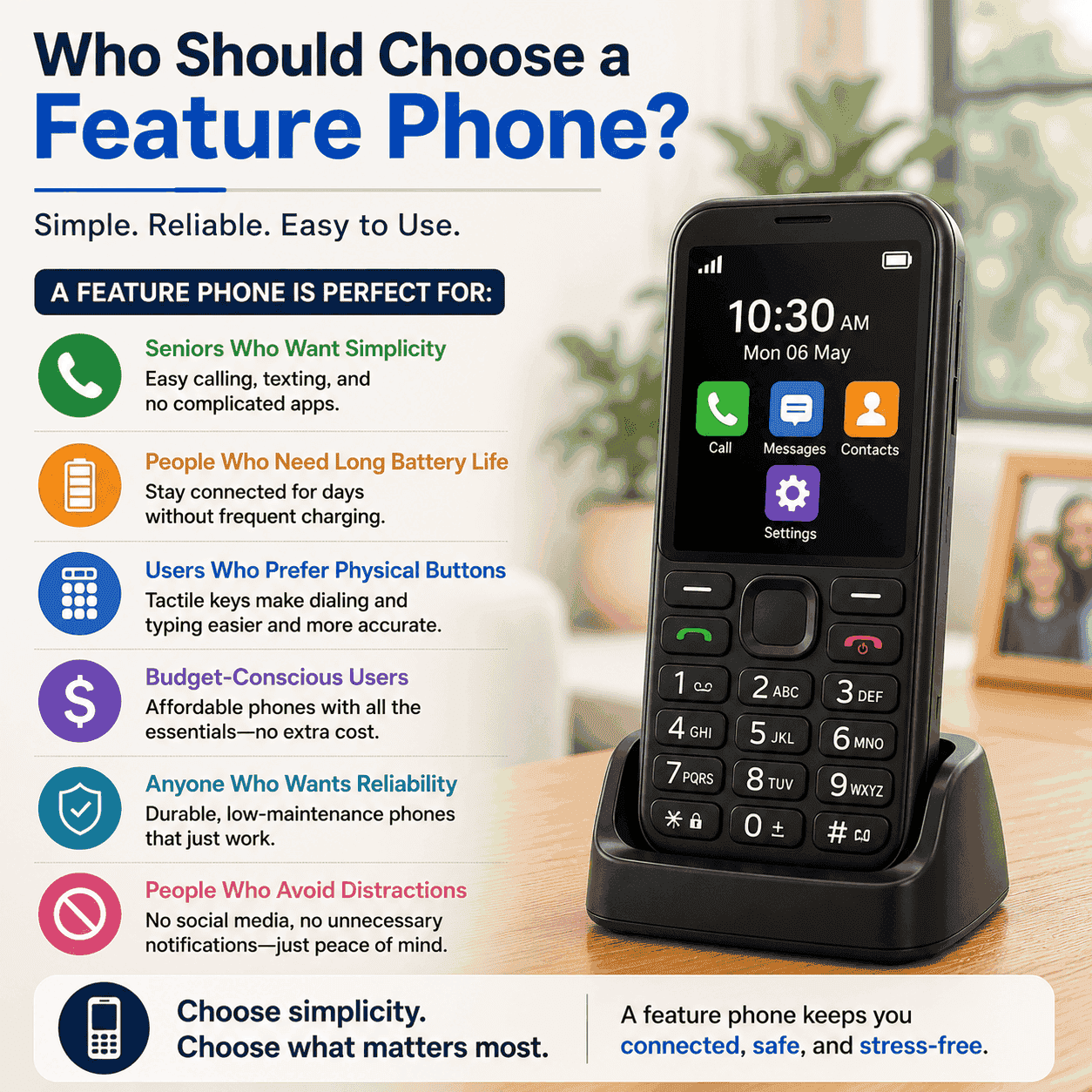
A feature phone is perfect for seniors who simply want:
- Reliable calling
- Text messaging
- Excellent battery life
- Physical buttons
- Easy operation
- Low maintenance
For many users, simplicity is the biggest advantage.
Frequently Asked Questions
What is the best phone for seniors?
The best phone for seniors is one that combines a simple interface, large display, loud speakers, long battery life, and reliable performance while matching the user’s comfort level with technology.
Are smartphones suitable for older adults?
Yes. Many smartphones now include accessibility features such as larger text, voice control, hearing support, and simplified navigation that make them easy for seniors to use.
Should seniors buy a feature phone or smartphone?
Feature phones are better for basic communication, while smartphones are ideal for video calls, internet access, apps, and staying connected with family.
Which features matter most for seniors?
Large screens, clear sound, long battery life, emergency features, and an easy-to-use interface are among the most important features.
Do seniors need expensive phones?
Not necessarily. Many affordable phones offer excellent accessibility, dependable performance, and all the essential features most seniors need.
Is battery life important?
Yes. A long-lasting battery reduces charging frequency and ensures the phone remains available throughout the day.
Can seniors use video calling easily?
Absolutely. Most modern smartphones make video calling simple with user-friendly apps and large touch controls.
Conclusion
Finding the best phone for seniors means choosing a device that balances simplicity, comfort, and reliability. Large displays, clear audio, long battery life, and accessibility features can make everyday communication easier and more enjoyable. Whether you prefer a basic feature phone or a modern smartphone, selecting the right device can help seniors stay connected, safe, and independent for years to come.