
Introduction
The Google Pixel camera has earned a strong reputation for producing stunning photos without relying on massive camera hardware. Thanks to Google’s advanced image processing and artificial intelligence, Pixel phones consistently deliver impressive image quality in almost every lighting condition.
Whether you enjoy landscape photography, portraits, night shots, or recording high-quality videos, the Google Pixel camera offers features that make photography simple and enjoyable. This guide explains what makes the Pixel camera special, its standout features, and why many users consider it one of the best smartphone cameras available today.
Why the Google Pixel Camera Stands Out
Unlike many smartphones that focus on adding more camera lenses or higher megapixel counts, Google improves image quality through powerful software and computational photography.
Some reasons why the Google Pixel camera is so popular include:
- Excellent color accuracy
- Sharp image detail
- Outstanding HDR performance
- Reliable low-light photography
- AI-powered photo enhancements
- Easy-to-use camera interface
- Fast image processing
This combination allows beginners and experienced photographers to capture professional-looking photos with minimal effort.
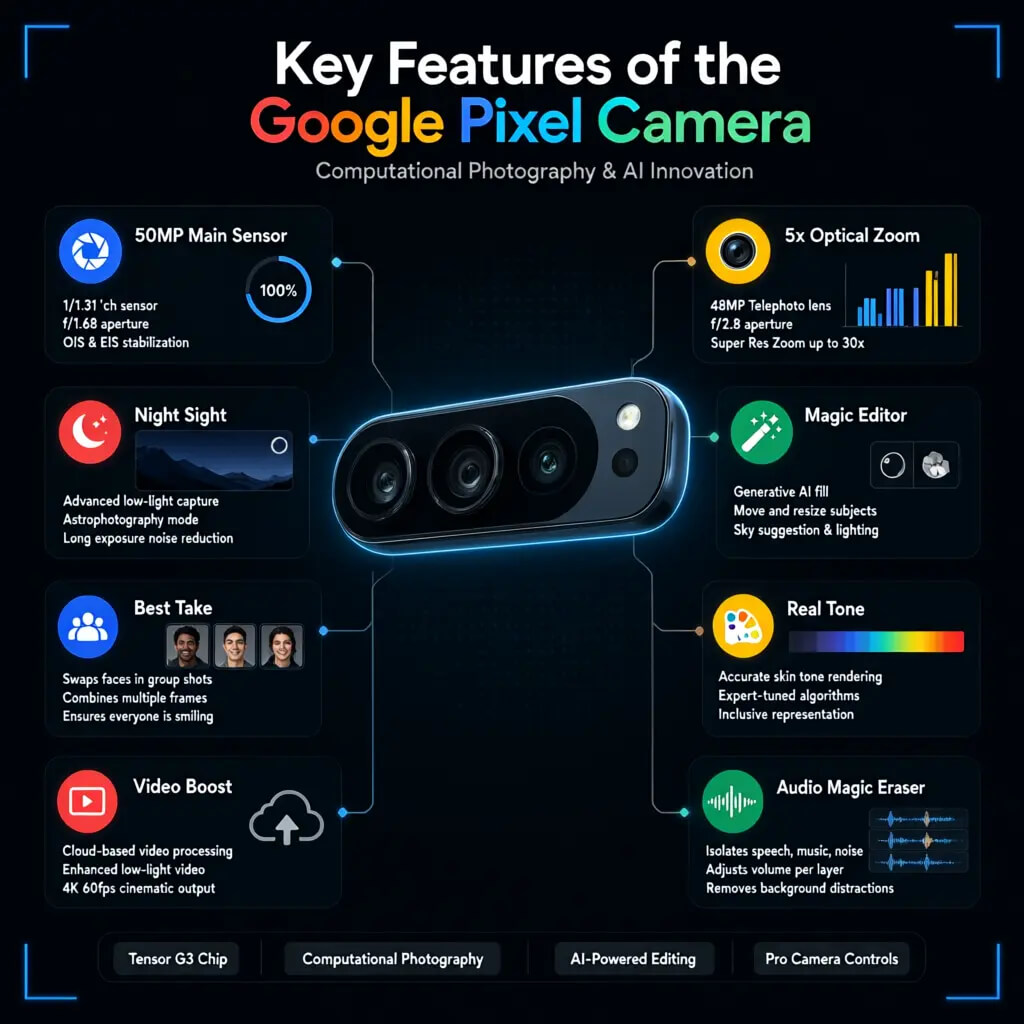
Key Features of the Google Pixel Camera
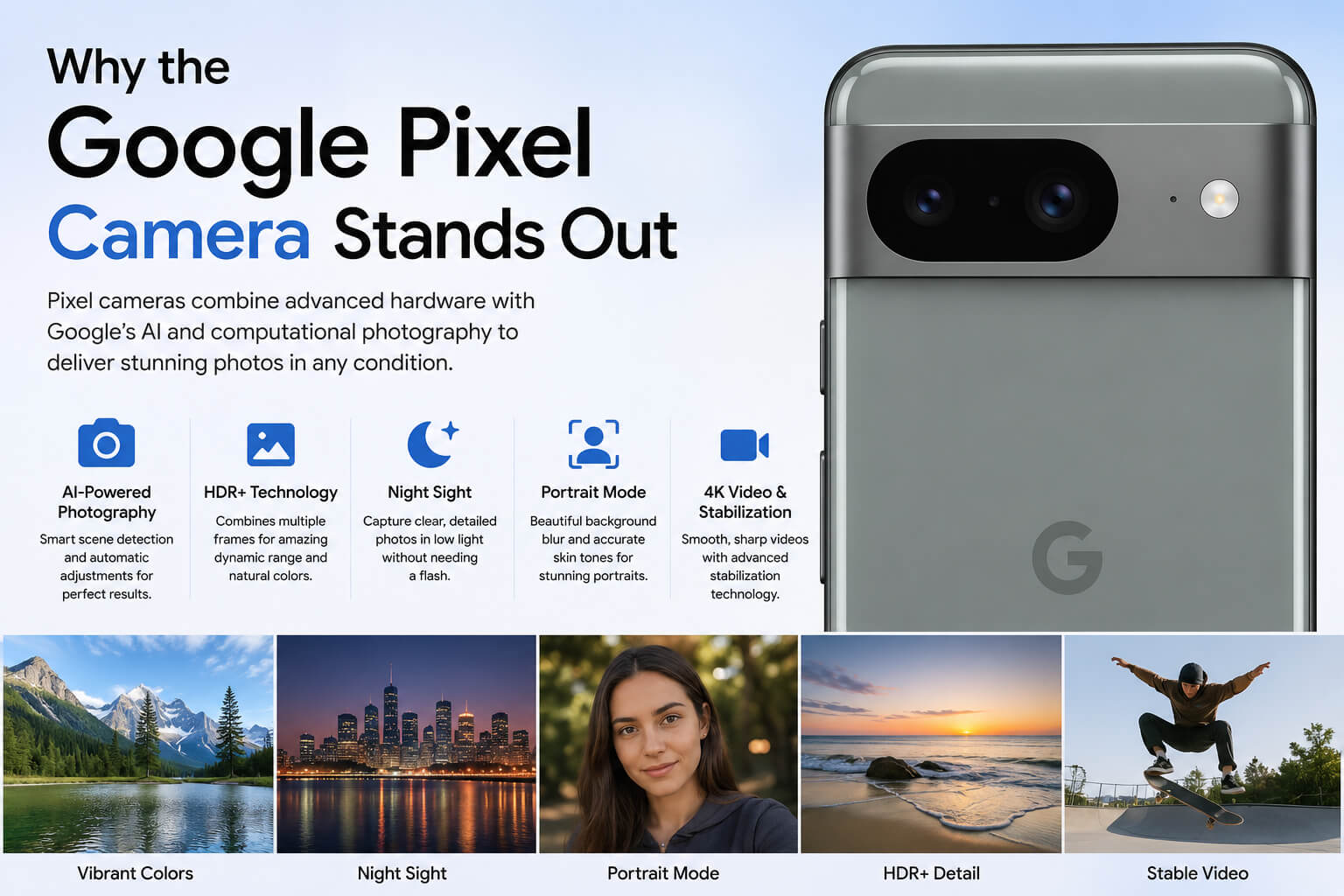
AI-Powered Photography
Artificial intelligence plays a major role in Pixel photography.
The camera automatically detects scenes and adjusts:
- Brightness
- Contrast
- White balance
- Exposure
- Color tones
Users rarely need to manually adjust camera settings.
HDR+ Technology
HDR+ combines multiple images into one high-quality photo.
Benefits include:
- Better dynamic range
- Improved shadows
- Brighter highlights
- More natural colors
- Less overexposure
This feature is especially useful when shooting outdoors.
Night Sight
Night photography has become one of Google’s strongest features.
Night Sight allows users to capture:
- City lights
- Indoor scenes
- Landscapes
- Portraits at night
without requiring a flash.
Images remain detailed while reducing unwanted noise.
Portrait Photography Performance
Portrait Mode uses advanced depth detection to create natural background blur.
Features include:
- Sharp subject focus
- Smooth edge detection
- Natural skin tones
- Realistic lighting
- Adjustable blur after taking the photo
Portraits often look similar to those taken with professional cameras.
Video Recording Quality
The Google Pixel camera also performs well for video recording.
Video features include:
- 4K recording
- Optical image stabilization
- Electronic stabilization
- Smooth handheld videos
- Cinematic panning
- HDR video support
Content creators appreciate the stable footage without needing expensive equipment.
Magic Editor and AI Editing Tools
Recent Pixel phones include powerful editing tools.
Magic Eraser
Magic Eraser removes:
- People
- Objects
- Background distractions
with only a few taps.
Best Take
This feature combines multiple photos to ensure everyone has the best facial expression.
Photo Unblur
Older blurry images can become noticeably sharper using Google’s AI technology.
These editing tools save users from installing separate photo editing apps.
Low-Light Photography
Low-light photography is where the Google Pixel camera truly shines.
Advantages include:
- Reduced image noise
- Better exposure
- Accurate colors
- Sharp details
- Natural lighting
Even indoor photos often look bright and clear.
Zoom Performance
Google combines optical zoom and Super Resolution Zoom technology.
Benefits include:
- Better long-distance shots
- Improved sharpness
- Less digital noise
- Cleaner details
While optical zoom depends on the specific Pixel model, Google’s software helps maintain image quality.
Camera Software Experience
One of Pixel’s strengths is its clean camera app.
Users can quickly switch between:
- Photo
- Portrait
- Night Sight
- Video
- Panorama
- Slow Motion
- Time Lapse
The simple layout makes photography enjoyable for everyone.
Google Pixel Camera for Social Media

Social media creators appreciate Pixel cameras because images require very little editing.
Photos are ready for platforms like:
- TikTok
- X
- Snapchat
Natural colors and balanced exposure help content look professional immediately after capture.
Google Pixel Camera vs Other Smartphone Cameras
Although many flagship smartphones offer excellent cameras, Pixel devices focus heavily on image processing instead of only hardware improvements.
Advantages
- Excellent software optimization
- Reliable point-and-shoot experience
- Consistent image quality
- Fast processing
- Outstanding night photography
Considerations
- Some models offer fewer camera lenses than competitors.
- Professional photographers may prefer more manual controls.
Overall, Pixel cameras deliver outstanding results for everyday users.
Tips to Get Better Photos with a Google Pixel Camera
Keep the Lens Clean
A clean lens improves image sharpness and reduces unwanted glare.
Use Night Sight in Dark Conditions
Allow the phone to remain steady while capturing night photos.
Enable Top Shot
Top Shot captures multiple frames so you can select the best moment.
Use Portrait Mode Correctly
Maintain an appropriate distance between the subject and background for stronger blur effects.
Explore Manual Editing
Google Photos includes editing tools that can further improve brightness, contrast, and color.
Who Should Buy a Google Pixel Phone for Its Camera?
The Google Pixel camera is ideal for:
- Casual photographers
- Travelers
- Students
- Families
- Content creators
- Social media users
- Mobile photography enthusiasts
Its combination of intelligent software and quality hardware makes it suitable for nearly every photography style.
Advantages of the Google Pixel Camera
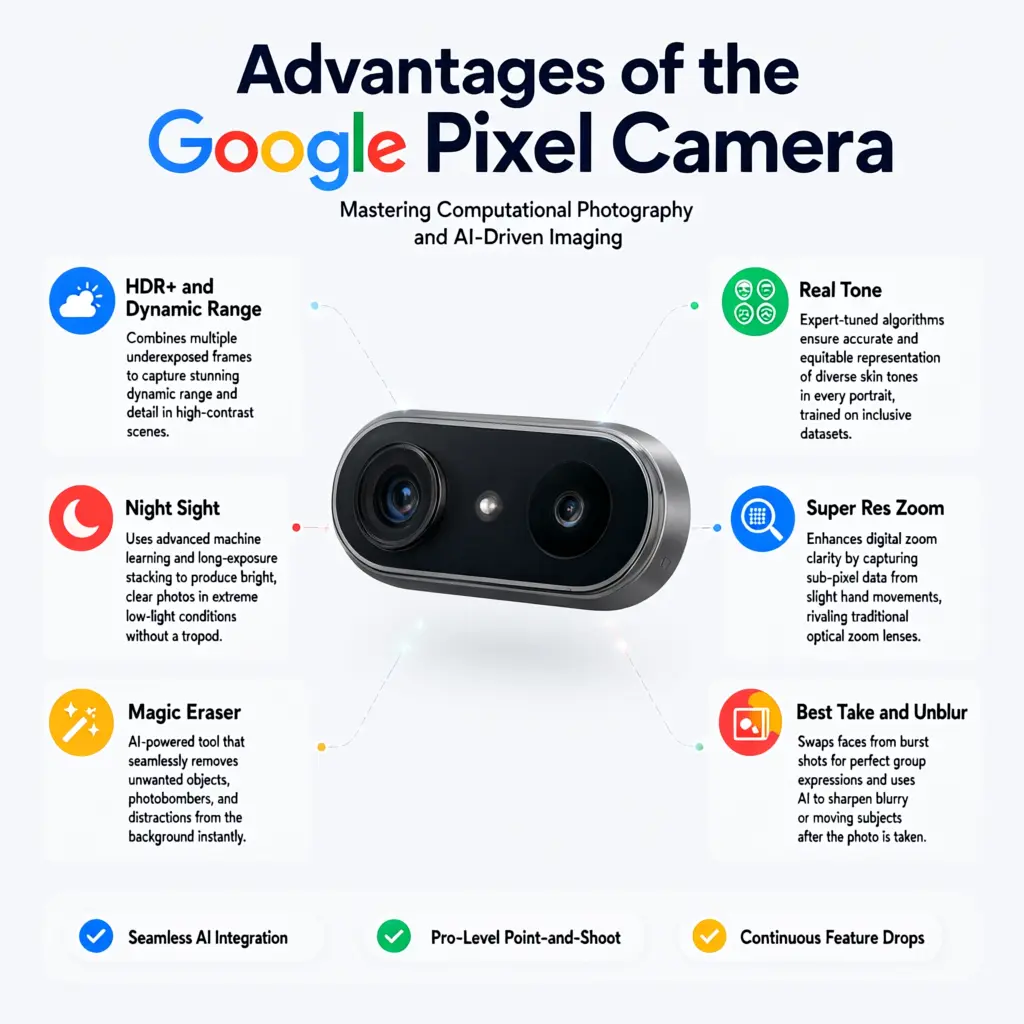
- Excellent photo quality
- Outstanding AI features
- Easy-to-use camera app
- Great low-light performance
- Reliable video stabilization
- Fast image processing
- Regular software improvements
- Natural color reproduction
FAQs
Is the Google Pixel camera better than many flagship phones?
For photography, many reviewers consider the Google Pixel camera among the best because of its excellent image processing, HDR performance, and AI-powered features.
Why is the Google Pixel camera so good?
Google uses computational photography and artificial intelligence to improve exposure, colors, sharpness, and detail automatically.
Does the Google Pixel camera record 4K video?
Yes. Most recent Pixel phones support high-quality 4K video recording with advanced stabilization.
Can the Google Pixel camera take good night photos?
Yes. Night Sight is one of the strongest low-light camera features available on a smartphone.
Does the Pixel camera require manual settings?
No. Most users can capture excellent photos using the default automatic mode.
Is the Google Pixel camera good for portraits?
Yes. Portrait Mode creates natural-looking background blur while keeping the subject sharp.
Does Google Pixel include AI photo editing?
Yes. Features like Magic Eraser, Photo Unblur, and Magic Editor use AI to improve and edit photos quickly.
Which Google Pixel phone has the best camera?
The latest Pixel Pro models generally offer the most advanced camera hardware, zoom capabilities, and AI-powered photography features.
Conclusion
The Google Pixel camera continues to set a high standard in smartphone photography by combining advanced AI with powerful computational imaging. From vibrant daylight shots and detailed portraits to impressive low-light photography and intelligent editing tools, Pixel phones deliver excellent results with minimal effort. If you want a smartphone that consistently captures beautiful photos and videos without complicated settings, the Google Pixel camera remains one of the best choices available.